-
Open Firefox, tap the three-dot menu, and open Settings.
-
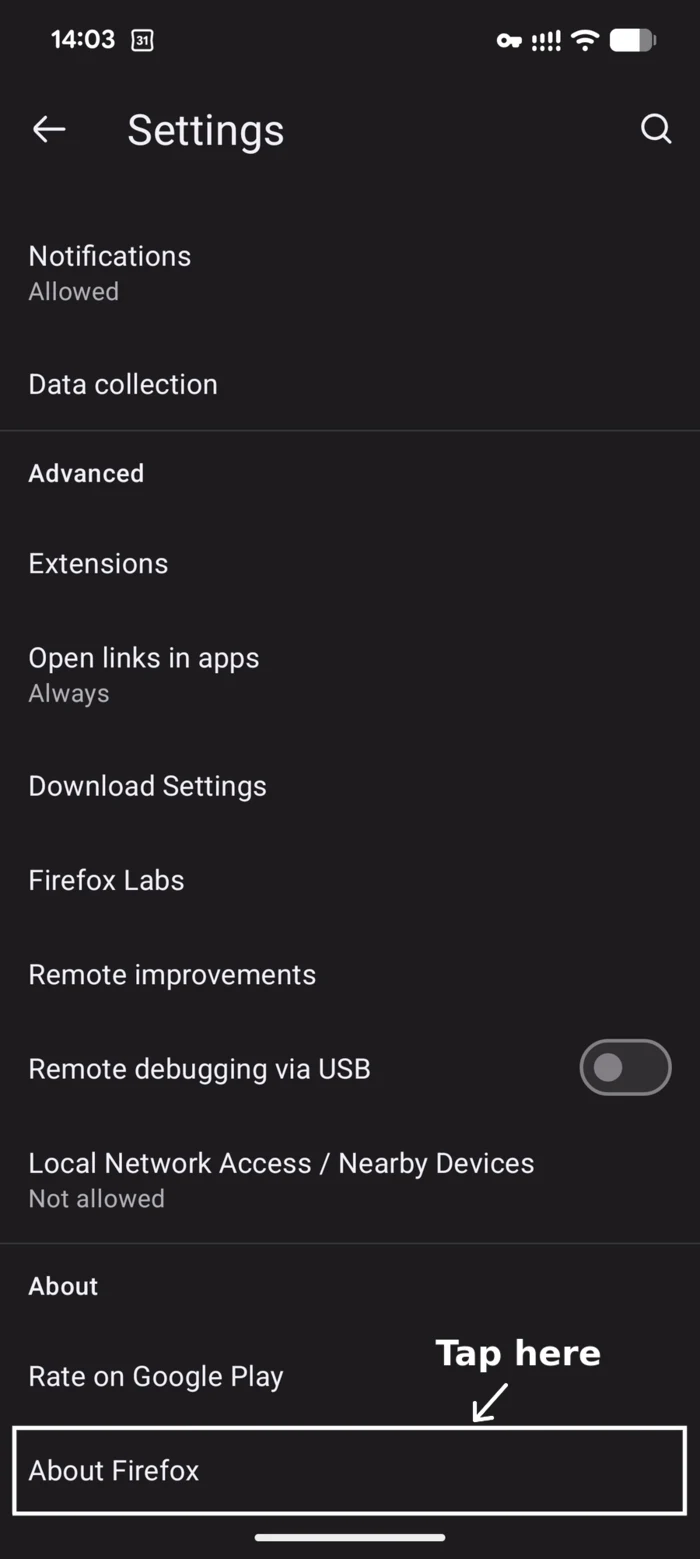
Scroll down and tap About Firefox.
-
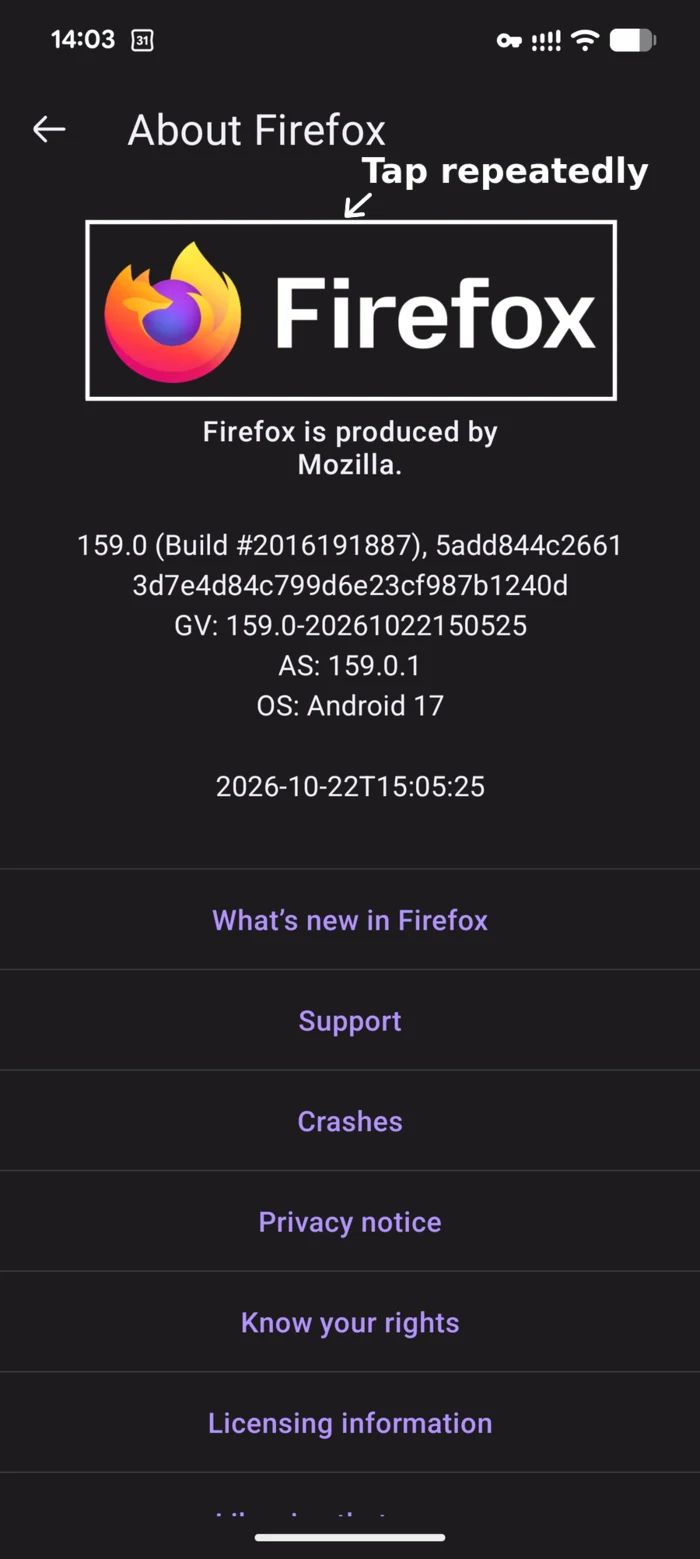
Tap the Firefox logo repeatedly (usually five times) until a message confirms that the debug menu is enabled.
-
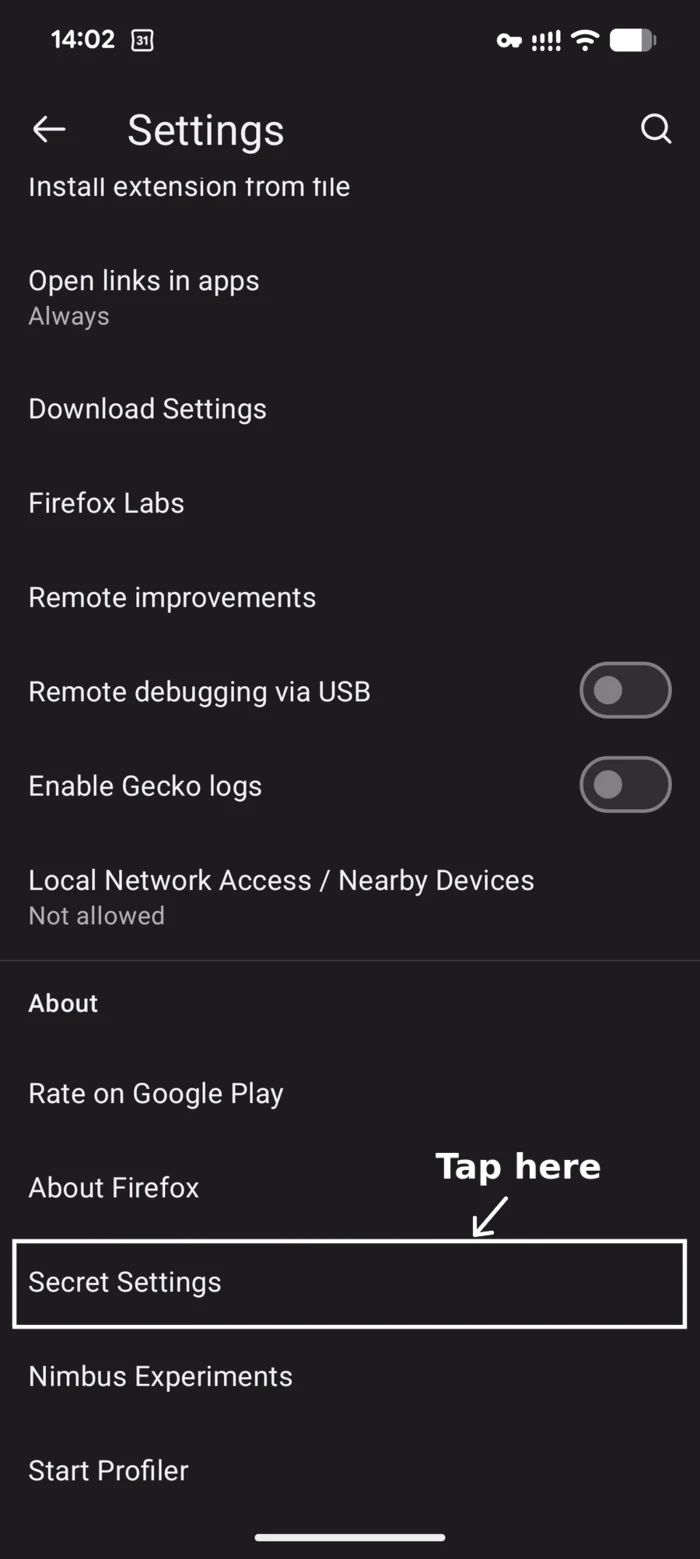
Go back to Settings, then tap Secret Settings.
-
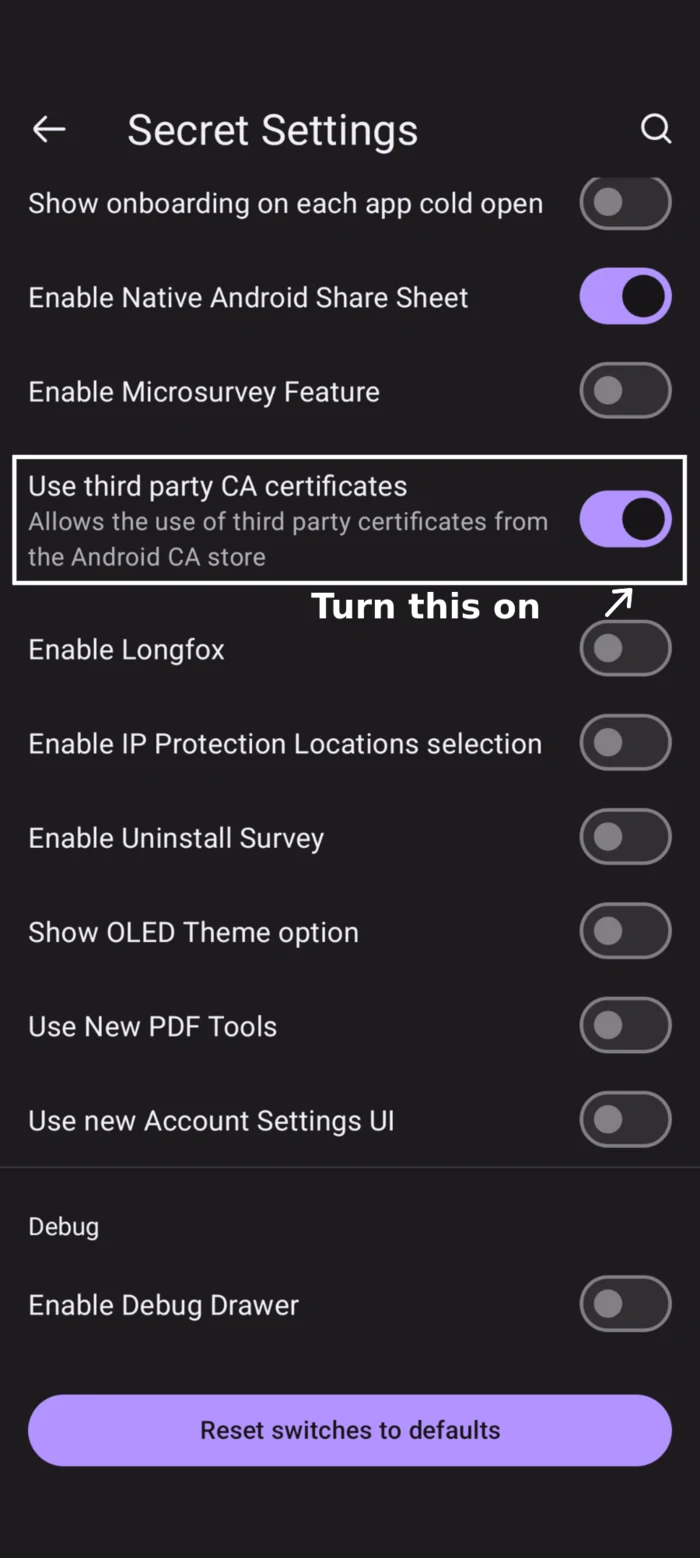
Turn on Use third party CA certificates, as shown.
-
Try opening a website that Limit blocks. Firefox should now show Limit's block page instead of a certificate or secure-connection error.
If the error persists, force-stop Firefox: open your phone's Settings > Apps > Firefox > Force stop, then reopen Firefox and try again. The exact Android menu names may vary by phone.